BoroJeet login — and the six reasons it fails
Almost every failed login in this market comes down to one of six causes, and five of them you can fix yourself in under a minute. Here is the normal process first, then the diagnosis.
Affiliate link. We cannot access, unlock or recover any account — only the operator's support can do that.
How to log in to BoroJeet
Open the platform
Either the app, if you have installed it, or the site in your mobile browser. Both lead to the same account — there is no separate "app account". If you are not sure which you have, the app guide explains the difference.
Choose the right identifier
Most Bangladeshi platforms let you sign in with either the mobile number you registered with or a username. Use the same one you registered with — an email address that was added later often will not work as a login identifier even though it is on the account.
Enter the number in the right format
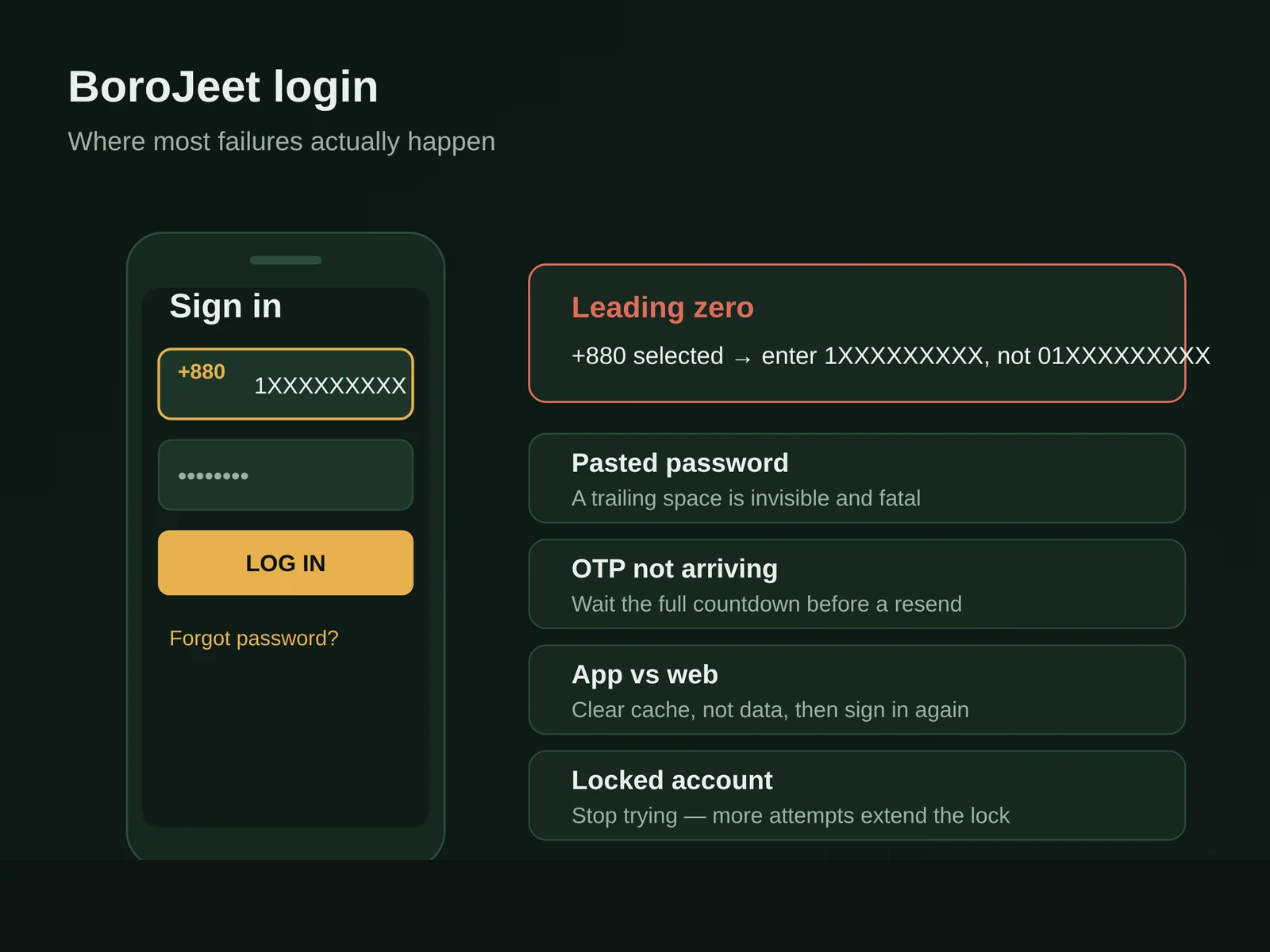
This is the single most common failure. If the form has a separate country selector showing +880, enter your number without the leading zero: 1XXXXXXXXX, not 01XXXXXXXXX. If it does not have a selector, enter it exactly as you registered it.
Enter your password, then check it
Tap the eye icon and read it back. Android keyboards on Bangla layouts autocorrect aggressively, and a trailing space copied from a password manager is invisible and fatal.
Complete the OTP if prompted
An SMS code may be required on a new device. Keep the app open while you wait — many Android builds will read the code automatically if you do not switch away.
The six failures, and what to do about each
| What you see | Most likely cause | Fix |
|---|---|---|
| "Invalid username or password" with credentials you are sure about | Leading zero on the phone number, or a space captured by a password manager | Drop the 0 when +880 is preselected. Retype the password by hand once, do not paste. |
| OTP never arrives | Operator SMS filtering, weak signal, or a full message inbox | Wait the full 60 seconds before requesting a resend — repeated requests can invalidate earlier codes. Move to a window, clear old SMS, then retry. Try the other SIM if you have dual. |
| Login works in the browser but not in the app | Stale cached session inside the app after an update | Clear the app's cache in Android settings (not data — that removes saved logins), force-stop, reopen. If it persists, reinstall the current version. |
| "Account locked" or "too many attempts" | Rate limiting after several failures | Stop trying. Most lockouts clear on a timer. Contact live chat rather than burning more attempts — repeated failures can extend the lock. |
| Endless loading spinner or white screen | Network-level interference or an outdated app build | Switch between mobile data and Wi-Fi to test. If one works and the other does not, it is your network, not your account. |
| Logged in, but the balance shows zero | Second account created by accident, usually with a different number | Check which number you are signed in with. Duplicate accounts are common and usually need support to merge or close one. |
Do not enter your login details on any site that is not the operator's own domain, and do not give your password to anyone who contacts you claiming to be support — including in Telegram or Facebook groups. Real support never needs your password. Account theft in this market almost always starts with a helpful stranger in a group chat.
Working login, and want to get on with it?
Open BoroJeet →Forgotten password
Use the reset link on the login screen
It will send a code to the registered mobile number. If you no longer have that number, self-service will not work and you will need support with identity documents — which is precisely why keeping your registered number current matters.
Set a password you can actually type on a phone
Long and simple beats short and symbol-heavy on a mobile keyboard. Four unrelated words are both stronger and easier than P@ssw0rd!.
Do not reuse your bKash or email password
If a gambling platform is ever breached, the first thing attackers try is the same password on your wallet and inbox.
If you are locked out for good
When self-service fails, the route is live chat, available 24/7 in English and Bangla. Have ready: the registered mobile number, the approximate registration date, the last deposit method and amount, and a photo ID matching the account name. Support resolves identity questions far faster when you lead with those instead of "I can't log in".
One thing worth understanding: if your account name and your bKash name do not match, an account recovery request can surface that mismatch and stall your withdrawals as well. Fix name discrepancies at verification stage, not during a crisis.
BoroJeet login FAQ
Why does my BoroJeet login say invalid password when it is correct?
Nine times out of ten it is the phone number, not the password. If the form shows a +880 country selector, your number must be entered without the leading zero. The second most common cause is a space captured at the end of a pasted password.
How do I log in without an OTP code?
You cannot skip it when the platform requests one — it is a security step tied to device recognition. If the SMS does not arrive, wait the full countdown before requesting another, since a new code can invalidate the previous one, and check that your inbox is not full.
Can I use the same account on the app and in the browser?
Yes, it is one account. You may be logged out of one when you sign in on the other if the platform enforces a single active session, which is normal and not a sign of a problem.
What do I do if my account is locked?
Stop attempting to log in — further failures usually extend the lock — and open live chat with your registered number and last deposit details ready. Most lockouts are automatic rate limiting and clear within hours.
Is it safe to save my BoroJeet password in the browser?
Safer than reusing a weak password, but only if your phone itself is locked with a PIN or biometrics. Never save it on a shared or borrowed device.
I have two BoroJeet accounts by mistake — what now?
Contact support and ask them to close one. Do not simply abandon it: most platforms prohibit multiple accounts, and having a dormant duplicate can be used as grounds to void a withdrawal later.
Does changing my phone number affect my login?
Yes, significantly — the registered number is both your identifier and your recovery channel. Update it through support while you still have access to the old one, not after you lose it.
Login sorted?
Next useful step: complete verification before you deposit, so payouts are never held up later.
Affiliate link · 18+ · Play responsibly